Home
Blog
Oppora’s Claude MCP is Live. Connect our Email Database & Outreach features with any tool to build smart automations inside Claude.
Home
Blog
Manasa Goli
Published May 8, 2026
6 min
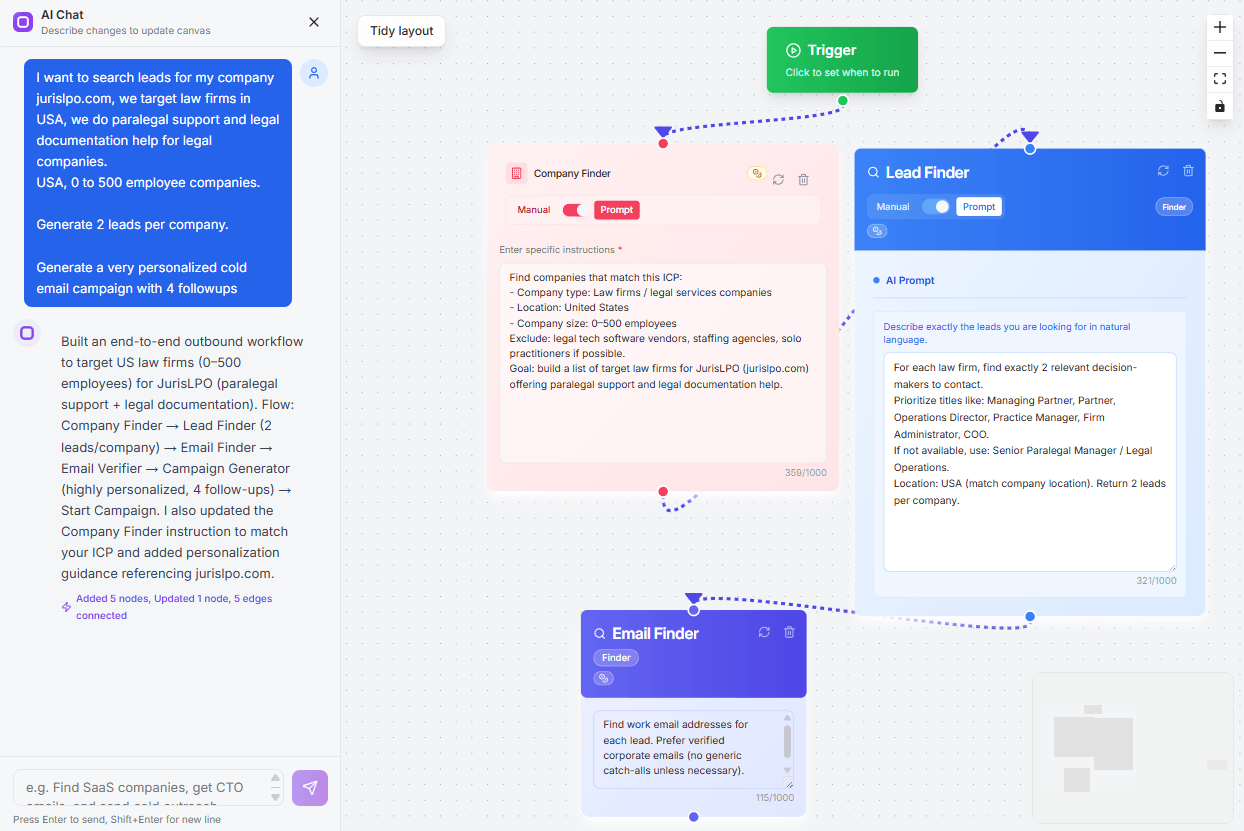
Try Oppora AI
Create Self-Running Agentic Sales Workflows like N8N just by chatting with AI
Get Started for FREE
Ever opened an email that looked broken, misaligned, or weirdly cut off?
Chances are, the problem wasn’t the content — it was the email template size.
Getting the size right is not just a design choice. It directly impacts how your email looks, loads, and performs.
In this guide, you’ll learn:
The ideal email template size is:
Suggested Reading:
What Is the Ideal Email Signature Size?This combination works best across most email clients and devices.
A 600px width ensures your email fits properly on desktop without breaking the layout.At the same time, it scales well on mobile, so users don’t have to scroll sideways.
Height is not strictly fixed, but keeping key information near the top helps readers quickly understand your message without scrolling too much.
File size is equally important. If your email exceeds around 100KB, platforms like Gmail may clip your content, which can hide important sections like your CTA.
In simple terms, the right email marketing template size helps your emails:
It’s not just about design — it directly impacts how many people actually read and engage with your email.
Now that you know the number, let’s understand why it works so well.
A 600px width fits perfectly inside most email clients without causing layout issues.
It gives you enough space to structure content properly while still adapting to smaller screens.
If you go wider, your email may:
That’s why sticking to 600px keeps things stable and predictable.
But knowing the ideal size is only half the picture.
What really matters is how your email behaves across devices, especially when most opens now happen on mobile.
Your email marketing template size should not just fit screens.It should feel easy to read, scroll, and interact with.
On mobile, attention is limited and screens are small.
So your email needs to feel natural the moment someone opens it.
Also, avoid squeezing too much content into one section.
When your layout breathes, your message becomes easier to follow.
If your email feels cramped or hard to scan, most people won’t continue reading.
Even though mobile dominates, desktop still plays a big role, especially in B2B communication.
This is where structure and alignment matter more.
A well-contained layout looks more professional and keeps the reader focused.
When you balance both mobile flexibility and desktop structure, your email works smoothly everywhere without extra effort.
Most people get the width right, but miss something equally important — file size.
This is where things quietly start affecting your performance.
Email providers like Gmail automatically clip emails that go beyond ~102KB.When that happens, your email gets cut midway with a “View entire message” link.
The problem is, most users never click that.
So what actually happens?
On top of that, larger emails take longer to load.
And if your email feels slow or heavy, people lose interest quickly.
This usually happens because of:
So while working on your email marketing template size, think beyond layout.
Keeping your email lightweight ensures it loads faster, stays fully visible, and performs the way you expect.
Now here’s where things go beyond design.
Most people think email template size only impacts how an email looks.But in reality, it also affects whether your email even reaches the inbox.
Email providers don’t just scan your message content.They also analyze how your email is structured behind the scenes.
When your template is too large or messy, it often:
This creates a negative signal for spam filters.
And when that happens, your email might:
The tricky part is, you won’t always notice this directly.
Your campaigns may just show lower open rates, and you might assume it’s a copy issue.
But in many cases, it’s actually a template size and structure issue.
So optimizing your email marketing template size is not just about clean design.
It’s about making sure your emails are trusted, delivered, and actually seen.
At this point, it’s easier to see where things go wrong.
Here are mistakes that quietly hurt your email performance:
Individually, these may seem small.
Together, they can significantly reduce your results.
By now, you know that getting your email template size right is critical.
The good part is, fixing it doesn’t require complex changes. You just need to be a bit more intentional with how your emails are built.
These small adjustments make a big difference.
Your emails load faster, stay within size limits, and feel easier to read.
But here’s where things get tricky.
Doing this once is easy. Doing it consistently across every campaign is where most people struggle.
Once you understand all this, the next challenge is consistency.
Maintaining the right email structure, size, and performance across campaigns can get messy.
This is where Oppora fits naturally into the workflow.
Instead of relying on bulky, repetitive templates:
So you’re not just sending emails.
You’re sending emails that are optimized by design.
The right email template size is not just a technical detail.
It’s what decides whether your email is:
You can have great copy and a strong offer.
But if your email is too heavy, poorly structured, or breaks across devices, most people won’t even see your message.
That’s why getting the foundation right matters.
And once you start scaling outreach, maintaining this consistency manually becomes difficult.
This is where a system like Oppora makes a real difference.
Instead of worrying about template size, structure, and performance every time, you send emails that are already optimized — lightweight, personalized, and built to perform.
Because in the end, better email results don’t come from doing more.
They come from removing what’s slowing your emails down.
If your email crosses around 102KB, Gmail may clip it.
This means part of your email gets hidden behind a “View entire message” link. Most users don’t click it, so your key content or CTA might never be seen.
Not always, but overusing images can cause issues.
Too many images increase file size and reduce text-to-image ratio, which can trigger spam filters. Balance visuals with meaningful text for better results.
Summarize with AI
Share