
Back to CRM
CRM
📘 Managing Accounts and Activities in Oppora.ai CRM
Advance
6 min read
Updated September 30, 2025
Oppora Team
What You'll Learn
This comprehensive guide will walk you through the essential concepts and practical steps needed to master this topic. By the end of this article, you'll have a solid understanding of the key principles and be ready to implement them in your workflow.
Managing accounts and activities effectively is the backbone of any sales operation. Oppora.ai CRM provides a centralized platform where sales reps, account managers, and admins can keep customer information, communication history, and follow-up tasks fully organized. From tracking activities and logging calls to adding notes, sending emails, and scheduling meetings—this guide walks you through each step to ensure no detail is missed.
Here’s what you’ll learn in this guide:
- How to access and navigate the Accounts dashboard.
- How to open an Account Overview for company insights.
- How to view and manage Activities on the timeline.
- How to add and organize Notes for quick context.
- How to log or send Emails from within CRM.
- How to record and track Calls with details.
- How to create and assign Tasks for accountability.
- How to schedule and log Meetings with outcomes.
- Best practices for maintaining accurate and updated records
Step 1 -Access Accounts in Oppora.ai CRM
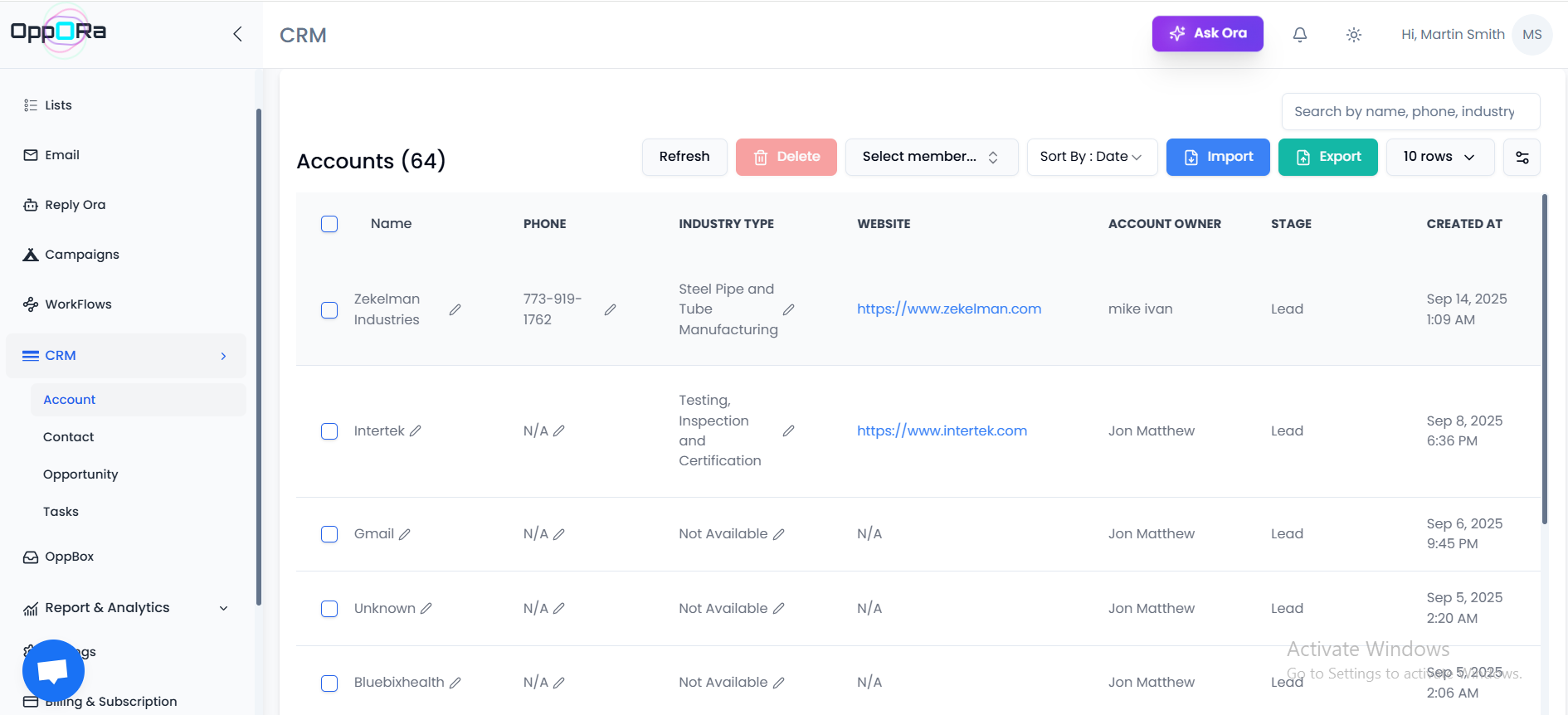
- From the left navigation panel, go to CRM → Account.
- The Accounts dashboard opens, displaying a list of all saved accounts.
- Each row shows key details like:
- Name
- Phone
- Industry Type
- Website
- Account Owner
- Stage
- Created At
👉 Use the search bar (top-right) to quickly filter accounts by name, phone, or industry. 👉 Use the Import/Export buttons to bulk add or extract accounts. 👉 Click + Add Account to manually create a new record.
Step 2 - Open and Review an Account Overview
- From the Accounts list, click on a company name (e.g., Zekelman Industries).
- This opens the Dashboard Overview for that account.
- The Overview tab displays:
- Company Info: Industry, size, and lifecycle stage.
- Key Stats: Total Opportunities, Employee count, Annual Revenue.
- Contact Information: Website, LinkedIn, Phone, and Location.
- Recent Activities: Timeline of updates such as account creation or emails.
- Contacts Linked to Account: List of people associated with the company (name, email, phone).
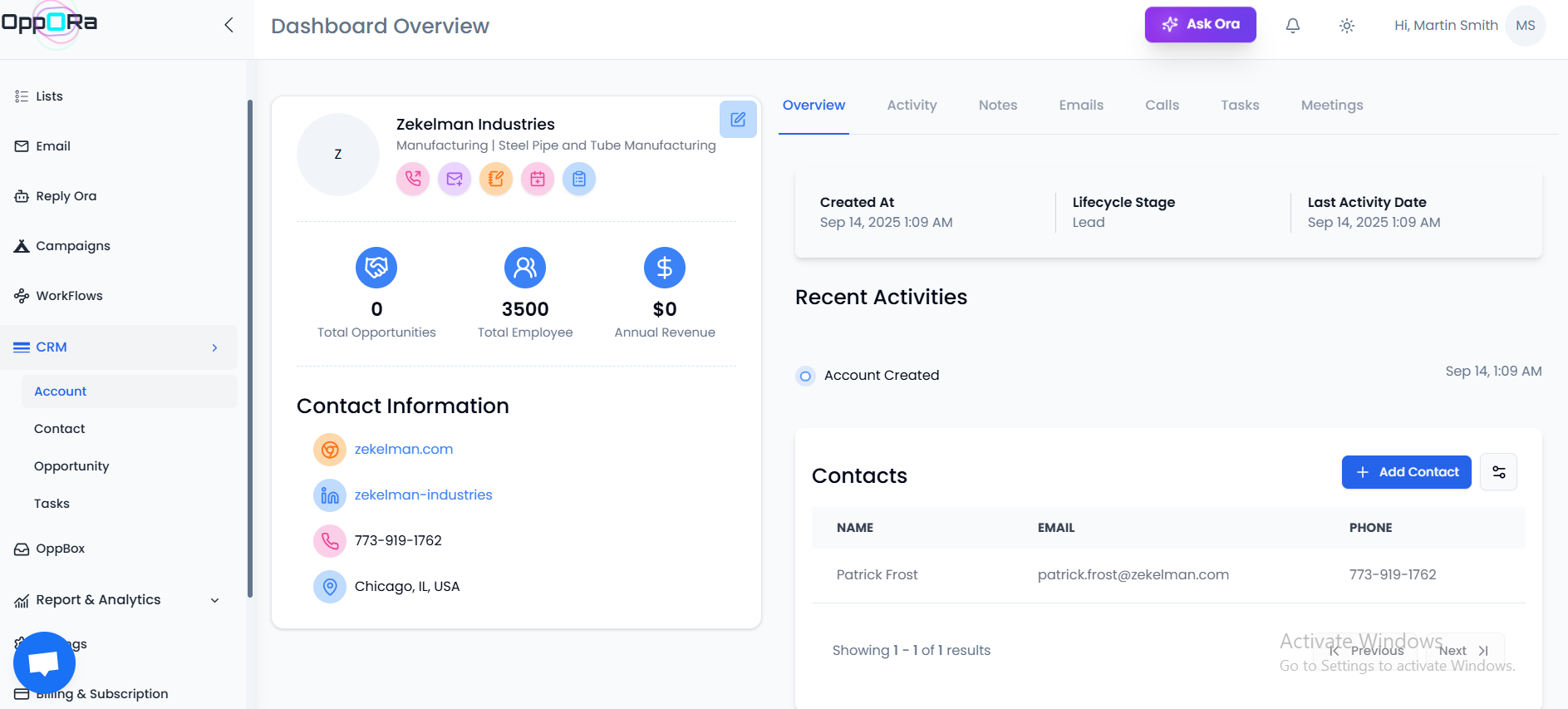
Tip: Use the + Add Contact button to quickly connect additional stakeholders to the account. This ensures all communication is linked to the right company.
Step 3 - Track Activities in an Account
- In the account dashboard, select the Activity tab from the top menu.
- Here you’ll see a timeline of events related to the account.
- Example: Account Created with date and time.
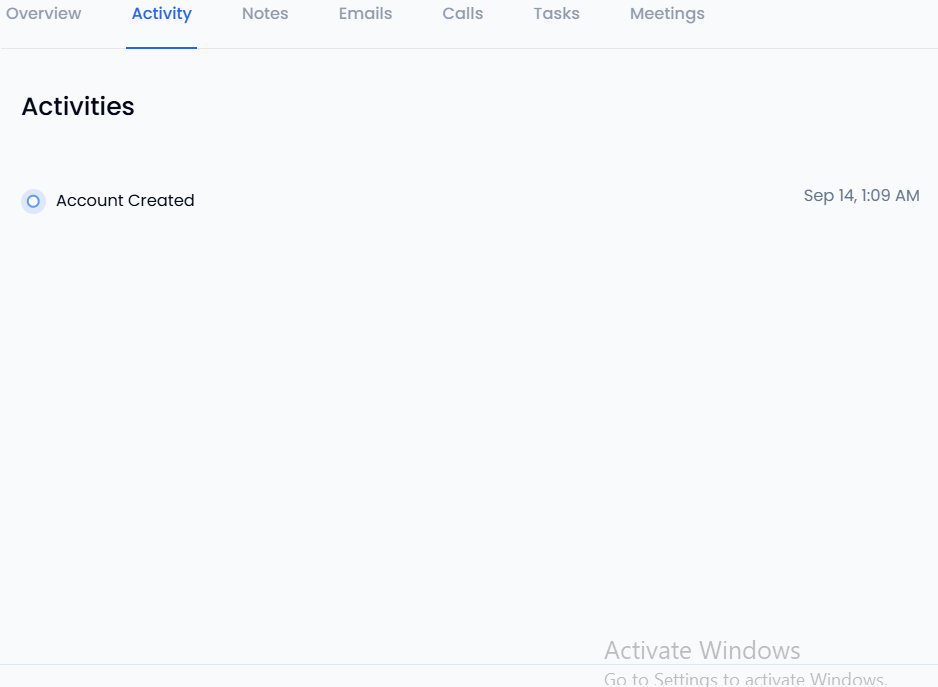
Tip: Use the activity feed to quickly review the last touchpoint before reaching out to a prospect. It helps you avoid repeating the same actions or missing important updates.
Notes
The Notes tab helps you capture account-specific details for your team. These are internal-only and not visible to the client.
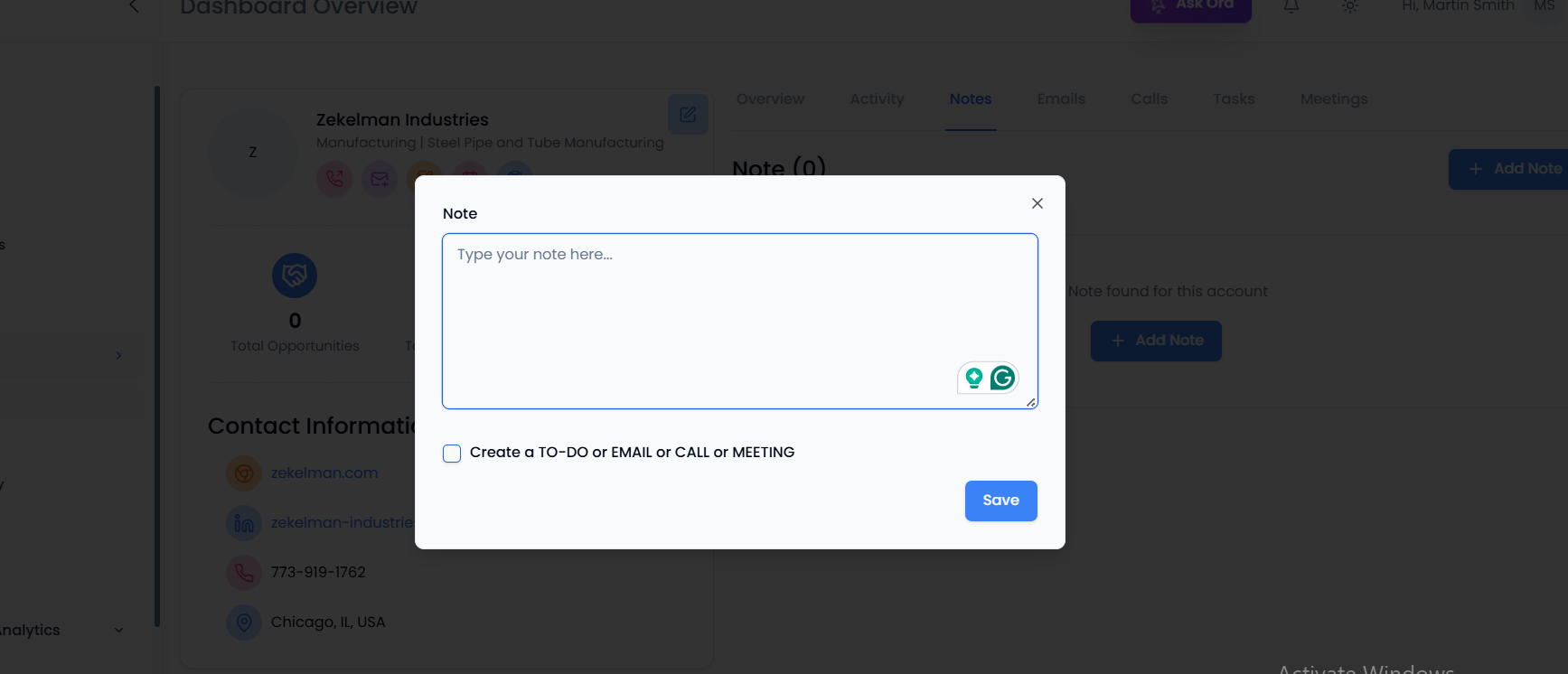
Step1-How to Add a Note
- Go to the Notes tab in the account dashboard.
- Click + Add Note.
- A note editor will open where you can:
- Type your note (e.g., “Client requested proposal by Friday”).
- Optionally link the note to a To-Do, Email, Call, or Meeting.
- Click Save to record the note.
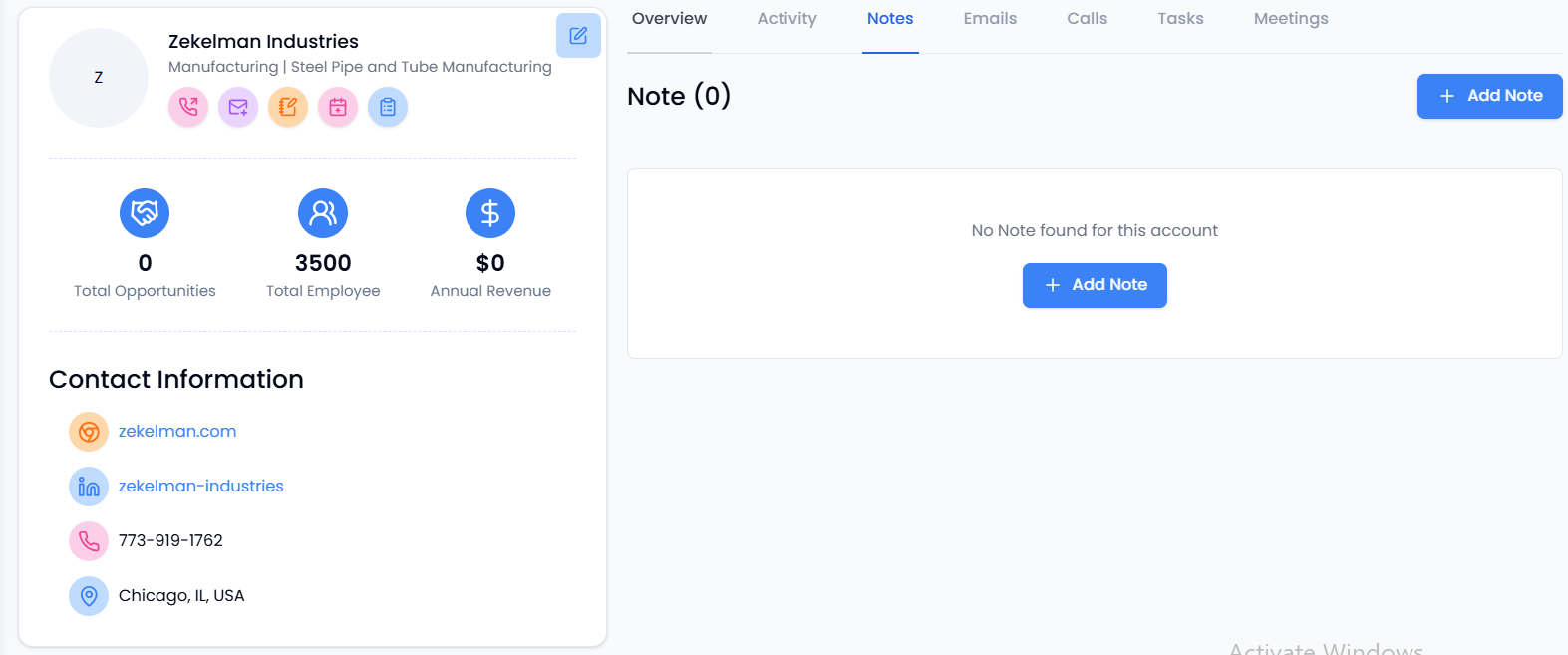
Tip: Use notes to store important context like client objections, next steps, or meeting highlights so everyone on your team stays aligned.
Emails
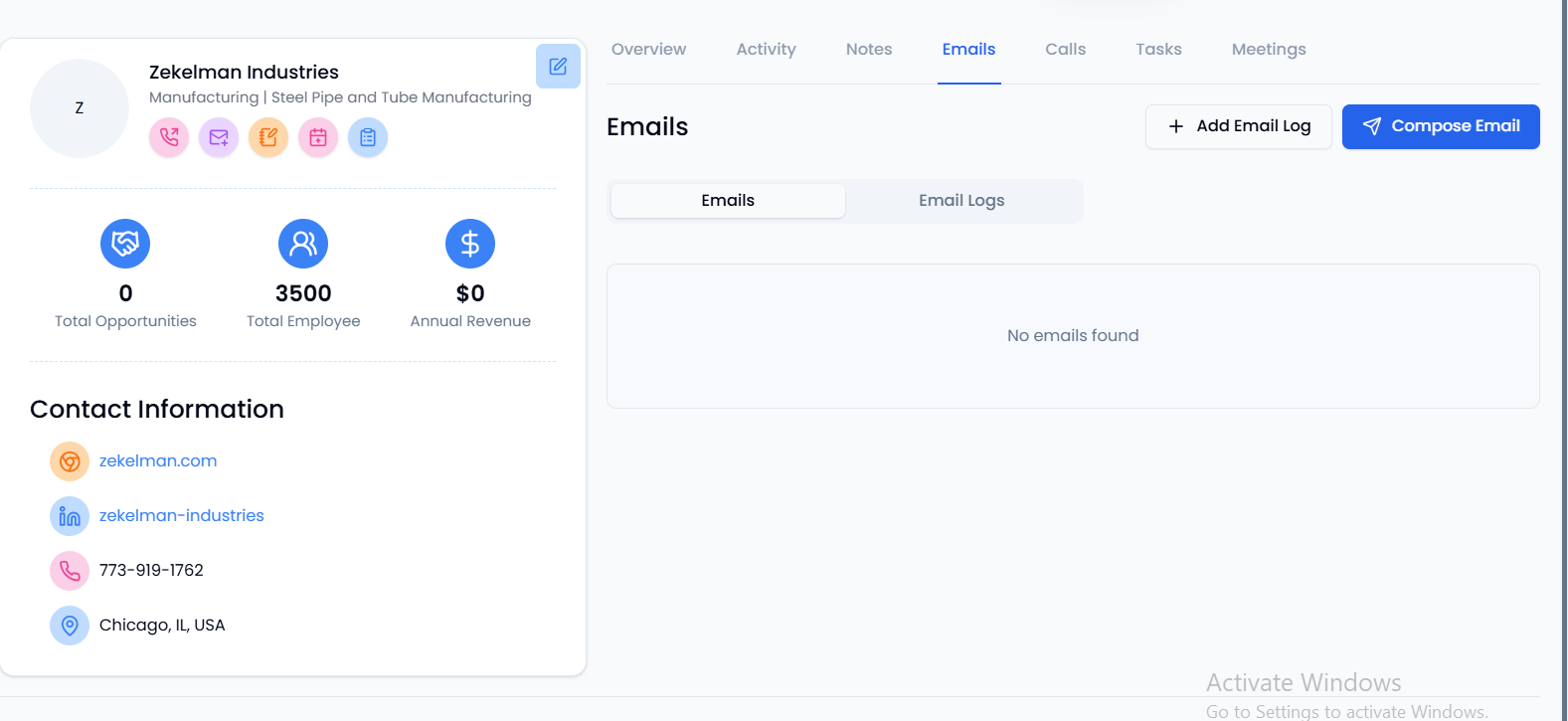
The Emails tab lets you manage all email interactions linked to an account. You can either log past emails or send new ones directly from Oppora.ai CRM.
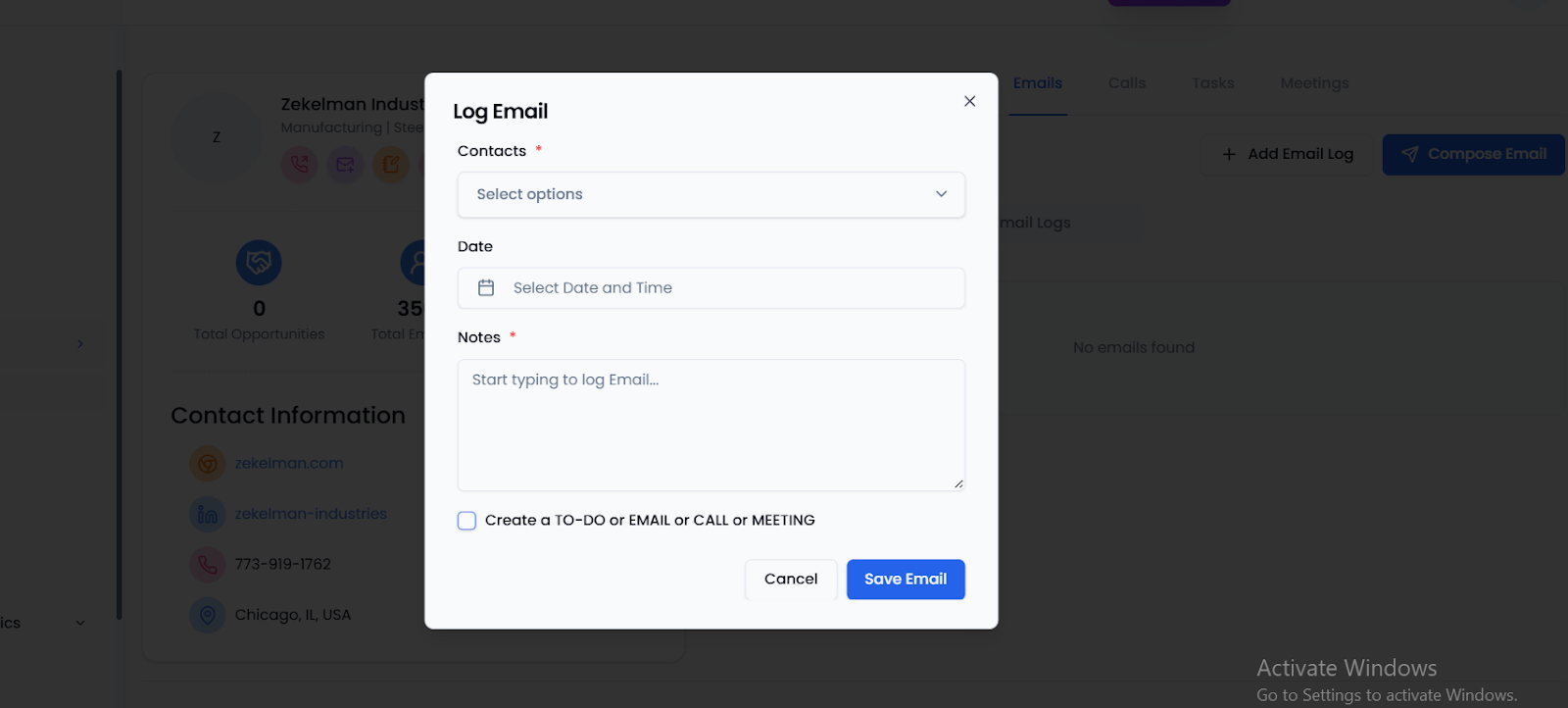
Step-1 -Log an Email
- Click + Add Email Log.
- Select the contact, date, and time.
- Add notes summarizing the email.
- Save it to record the conversation history.
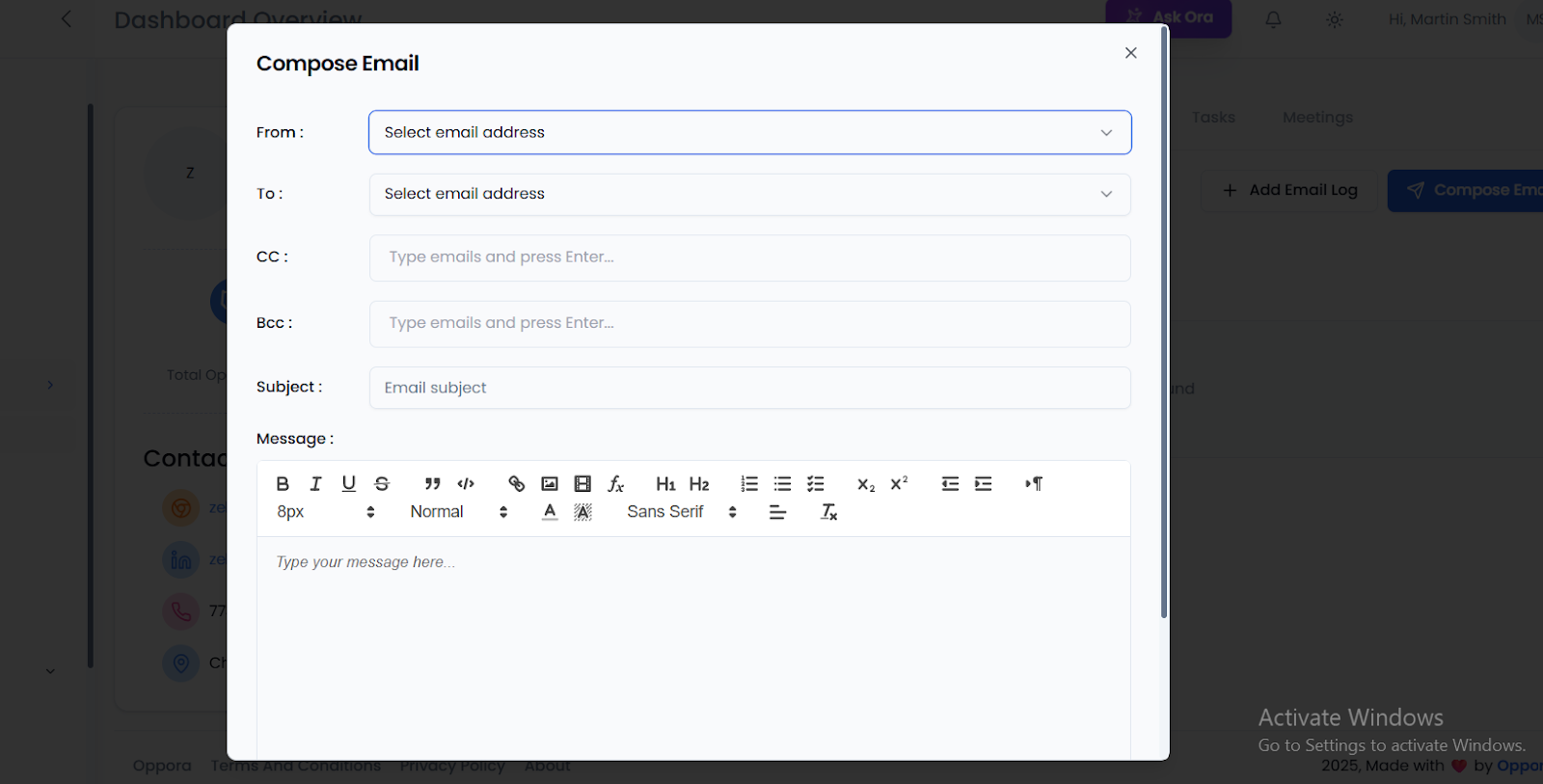
Step 2 - Compose a New Email
- Click Compose Email.
- Fill in the From, To, CC, BCC fields.
- Add a subject and write your message in the editor.
- Send directly from the CRM.
Tip: Use the Email Logs sub-tab to review all saved or sent emails for a specific account.
Calls
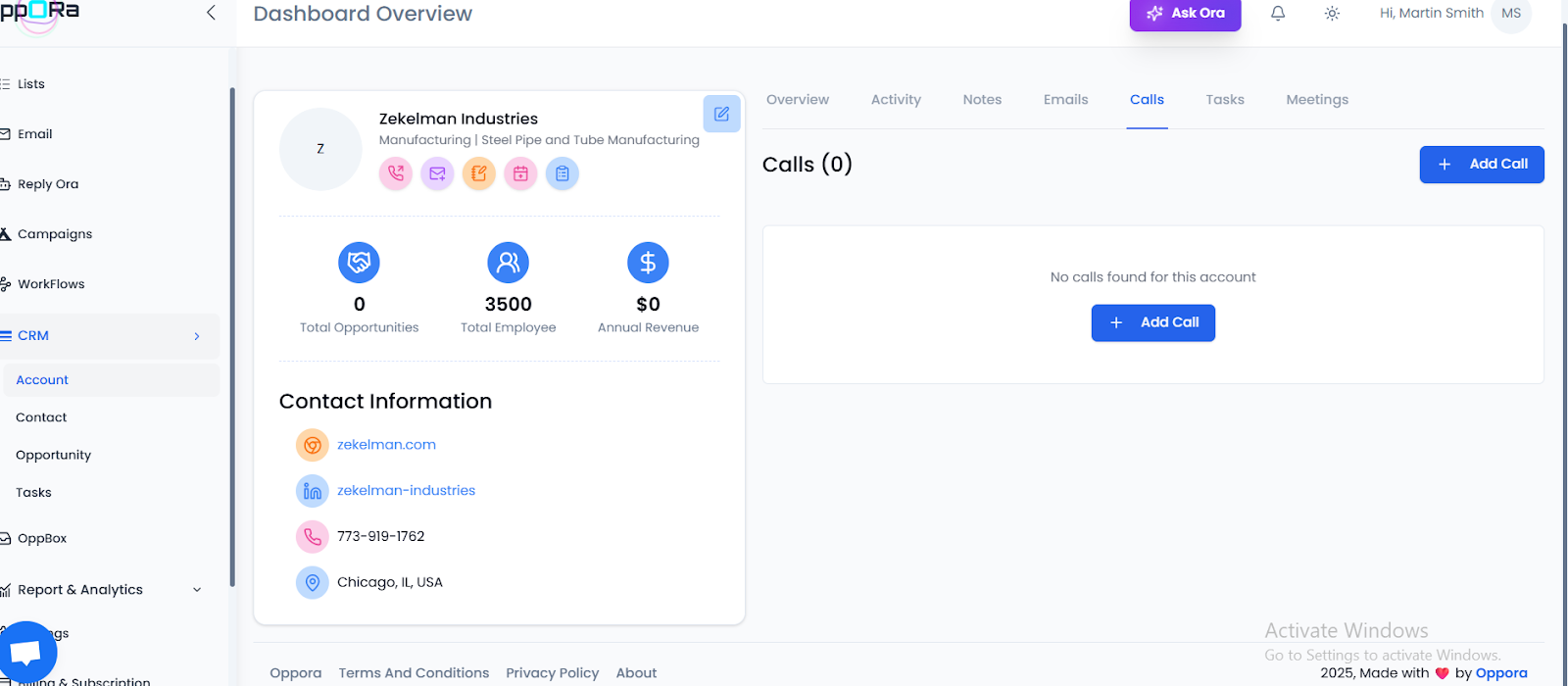
The Calls tab helps you log and track all phone conversations with an account’s contacts. This ensures every interaction is recorded and accessible to the team.
Step1-How to Log a Call
- Go to the Calls tab in the account dashboard.
- Click + Add Call.
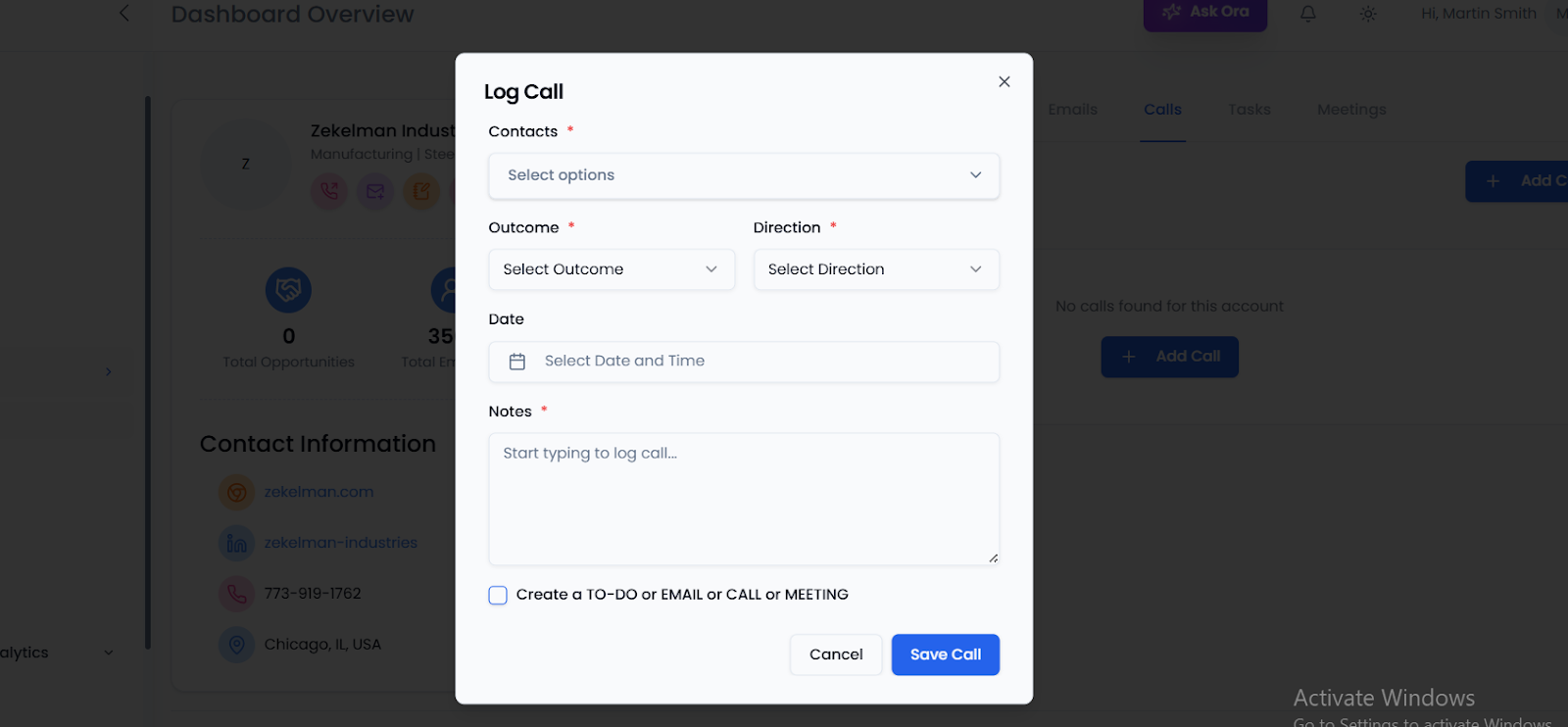
- In the Log Call window:
- Select the Contact.
- Choose the Outcome (e.g., Connected, Voicemail, No Answer).
- Choose the Direction (Inbound or Outbound).
- Select the Date and Time.
- Add detailed Notes about the conversation.
- Click Save Call.
Tip: Always capture important details such as objections, interest level, or next steps in the notes field. This creates a reliable call history for the entire team.
Tasks
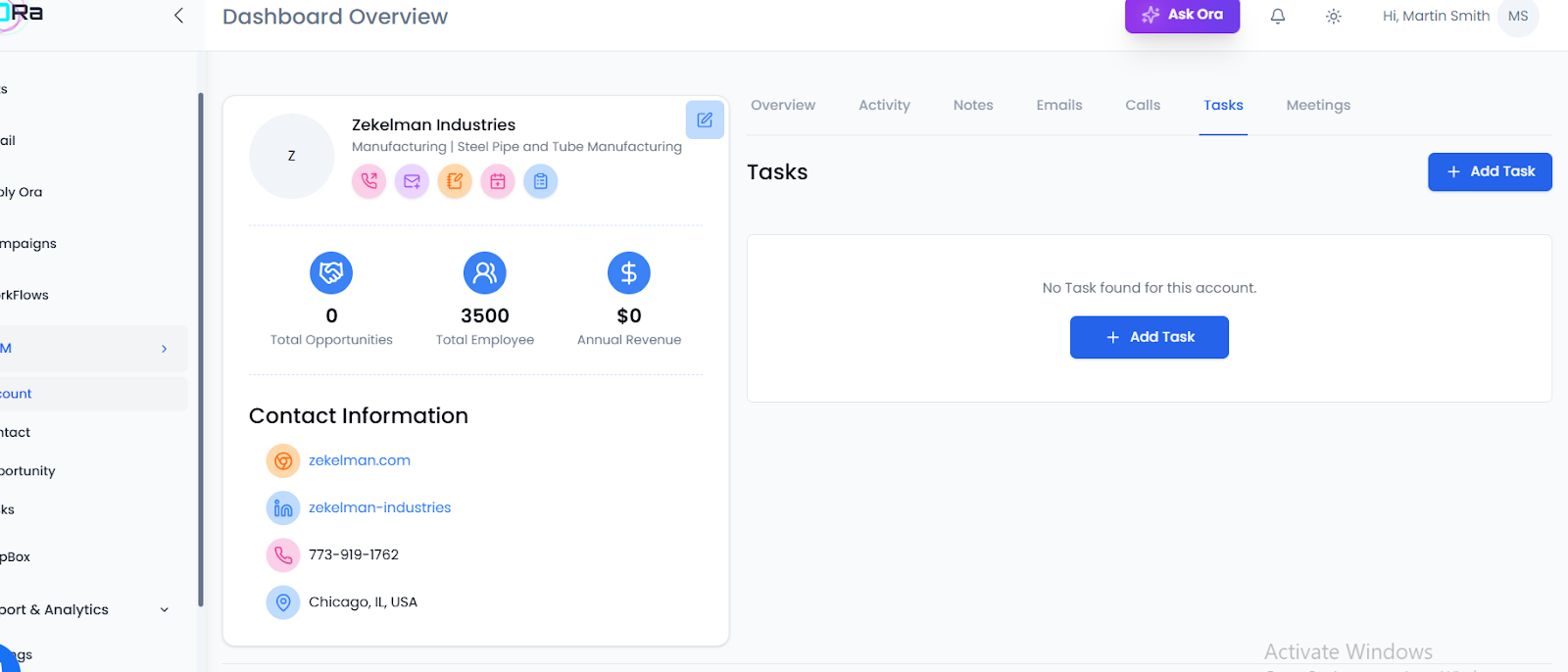
The Tasks tab helps you organize and assign follow-up actions for an account. This ensures nothing slips through the cracks during the sales process.
Step1-How to Add a Task
- Go to the Tasks tab in the account dashboard.
- Click + Add Task.
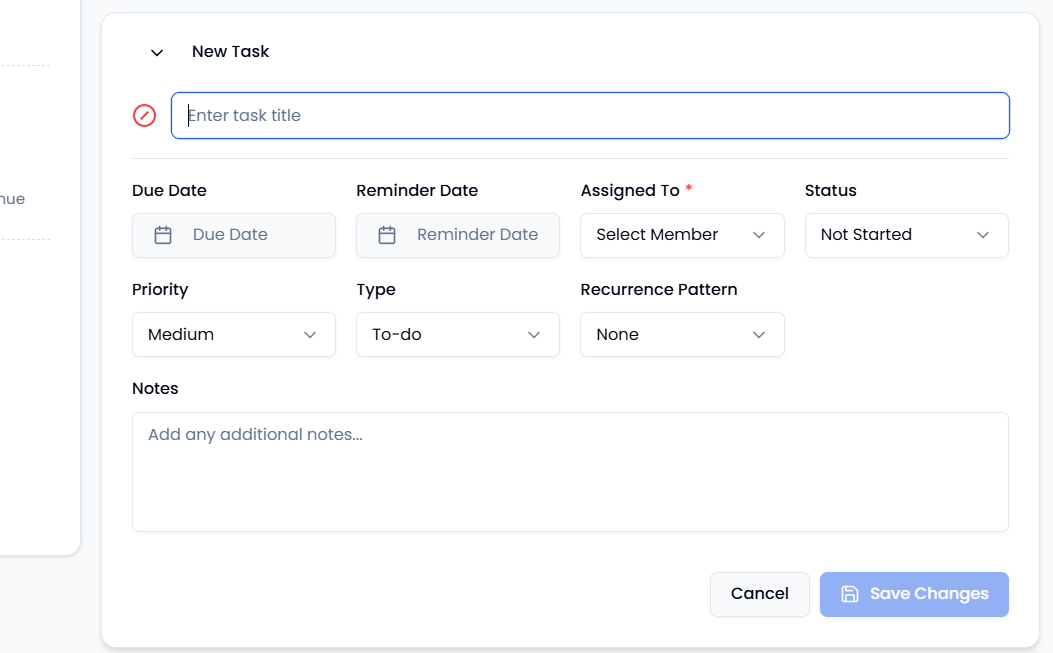
- In the New Task window, fill in the following:
- Task Title → short description (e.g., “Follow up call with client”).
- Due Date → when the task should be completed.
- Reminder Date → set a reminder before the due date.
- Assigned To → choose the responsible team member.
- Status → Not Started, In Progress, Completed.
- Priority → Low, Medium, High.
- Type → To-do, Email, Call, Meeting.
- Recurrence Pattern → set if task should repeat (daily, weekly, etc.).
- Notes → add additional details.
- Click Save Changes to create the task.
Tip: Assign tasks to team members immediately after calls or meetings to ensure accountability and timely follow-ups.
Meetings
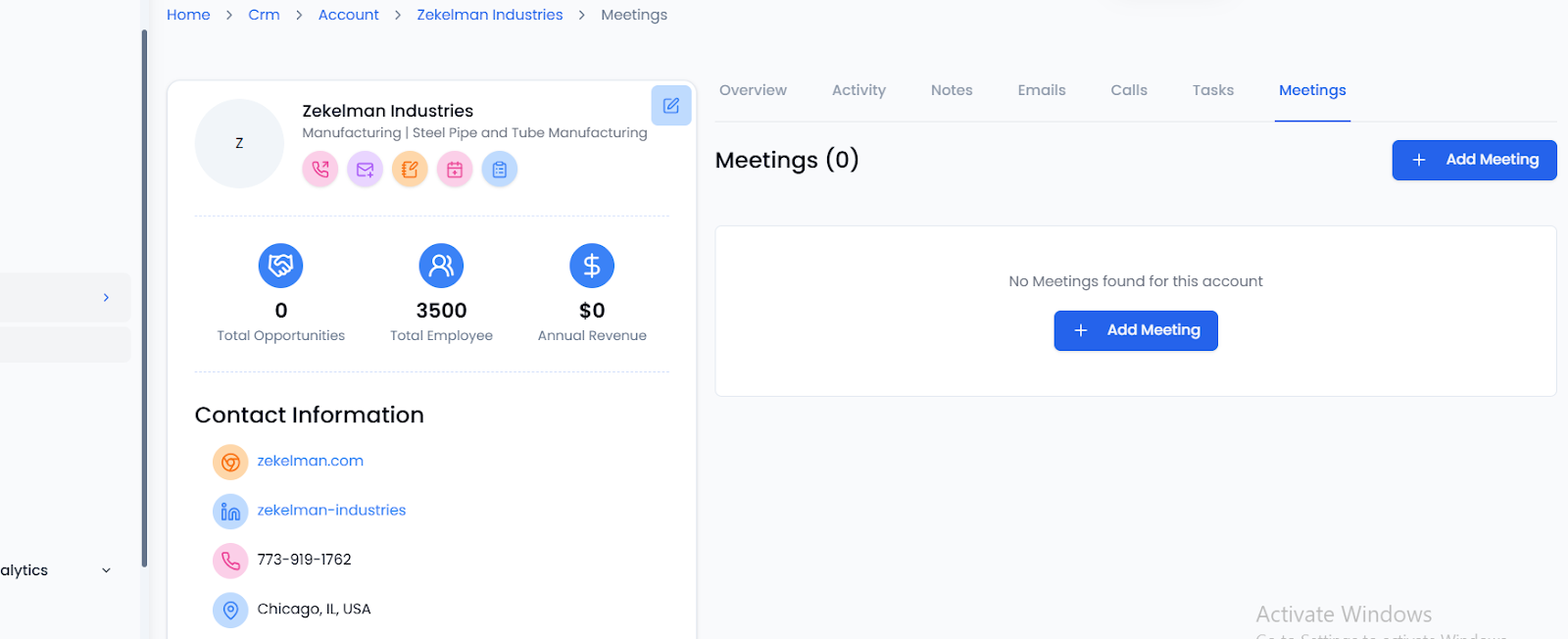
The Meetings tab allows you to log and track all scheduled or completed meetings related to an account. This ensures that every interaction is documented and easily accessible.
Step1-How to Log a Meeting
- Go to the Meetings tab in the account dashboard.
- Click + Add Meeting.
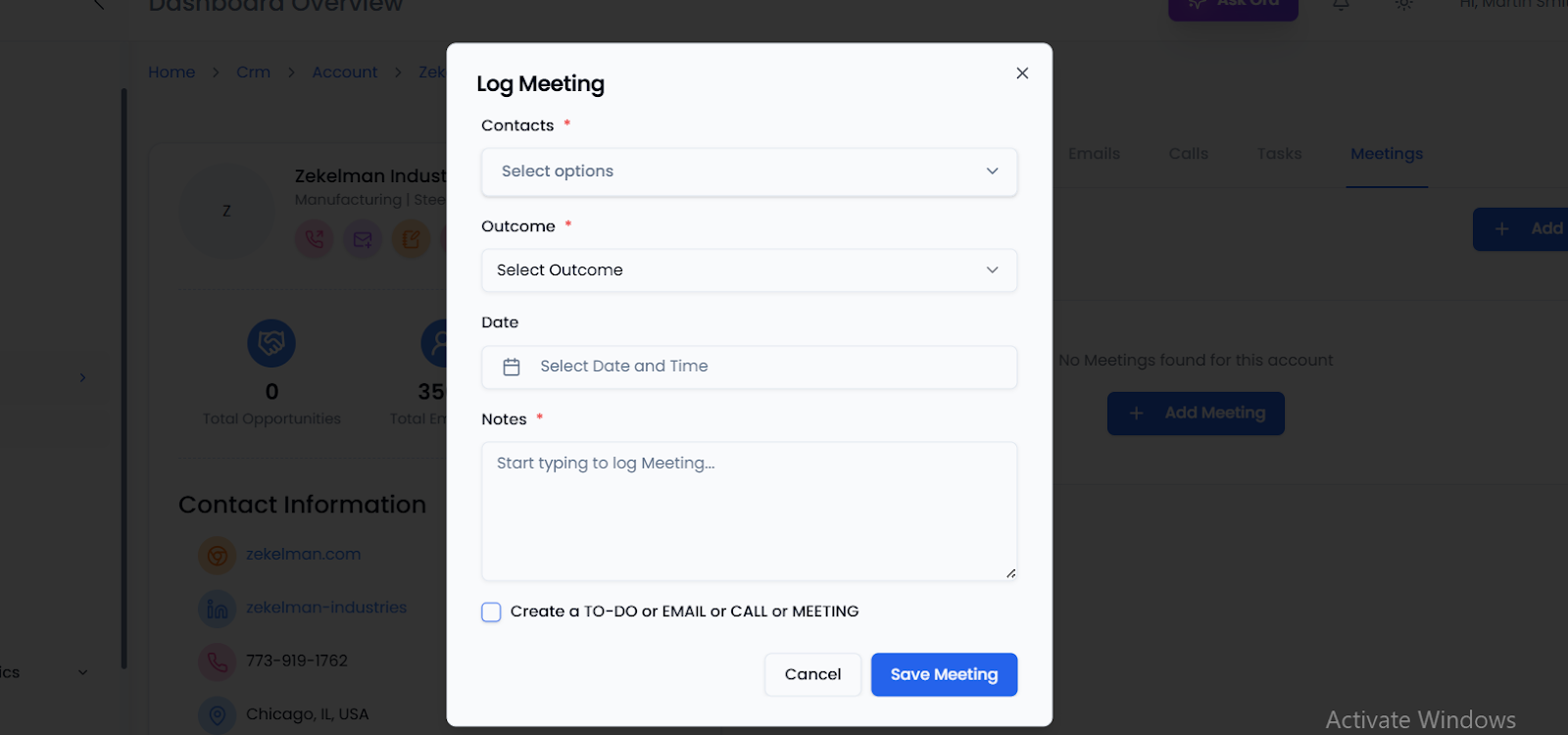
- In the Log Meeting window, fill in the following:
- Contact → Select the person associated with the meeting.
- Outcome → Choose the result (e.g., Completed, Rescheduled, No Show).
- Date and Time → When the meeting took place or is scheduled.
- Notes → Add key discussion points or next steps.
- (Optional) Check the box to create a related To-Do, Email, Call, or Meeting.
- Click Save Meeting to log it.
Tip: Always log meeting outcomes right after they happen to capture accurate details and ensure proper follow-up.
Best Practices
- Always update Activities after each client interaction.
- Use Notes for context, Emails for communication, Calls for history, Tasks for accountability, and Meetings for outcomes.
- Encourage your team to log in real time so no data is missed.
FAQs
Q: Can I assign tasks to teammates? Yes, tasks can be assigned to any CRM user.
Q: Are logged calls and meetings visible to the team? Yes, all logged activities are visible to users with account access.
Q: Can I edit or delete entries later? Yes, notes, emails, calls, tasks, and meetings can be updated or removed anytime.
Conclusion
Staying consistent with account management in Oppora.ai CRM helps your team maintain clarity, avoid duplication, and ensure every interaction is documented. By updating activities in real time, using notes for context, and logging calls, tasks, and meetings, you create a reliable record that benefits the entire organization. With Oppora.ai CRM, managing accounts becomes more than just administration-It becomes a driver of productivity, collaboration, and better customer outcomes.
Was This Article Helpful?
Continue exploring our knowledge base or get in touch with our support team for personalized assistance.